























Plans and Subscription for Visualizer Solutions

Choose flexible pricing packages designed for manufacturers, dealers, and wholesalers to match your visualizer needs and business goals.

Discover Your Ideal Pricing Package

Basic

Ideal for Stores and Designers

1999/month

  • Room Visualization & Monthly Quotas

    2D Pre-set Room

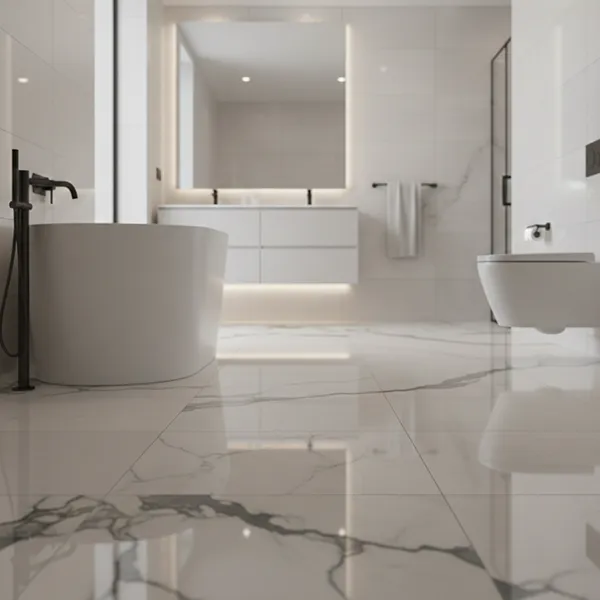
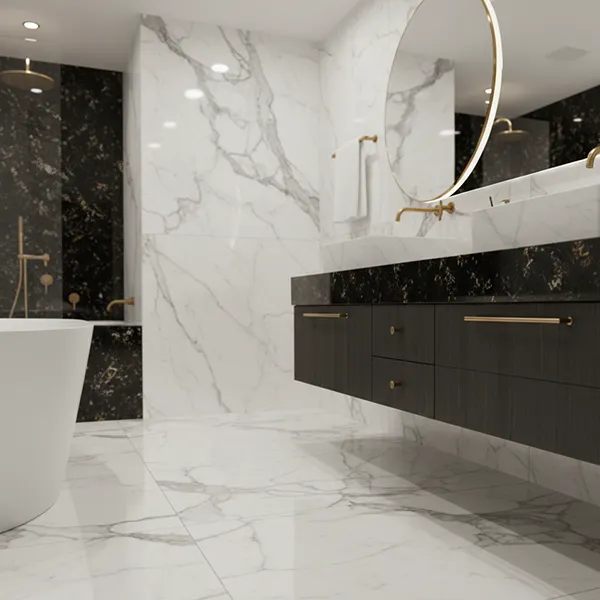
    A 2D pre-set room is a ready-made virtual space like a bathroom, bedroom, or living room designed for realistic product previews. Rooms are provided one time with your plan, not each month.
    35

    360 Panorama Room

    A 360 Panorama Room is an interactive virtual space that provides a full 360° view. Rooms are provided one time with your plan, not each month.
    15

    Upload Your Room (AI-Driven)

    Click and Upload your room to visualize in your own space - monthly upload limits apply.
    150

    Save Preview Image (JPG)

    Save Preview Image allows you to download / share a high-resolution JPG image of your final preview for easy reference to your customer - monthly upload limits apply.
    330
  • Product SKU & Session Management

    Product Design SKU Limit

    Product Design SKU limit defines the maximum number of product you can upload, based on your plan. This is a fixed limit and does not reset monthly.
    400

    Active User Session Limit

    Active User Session Limit sets the maximum number of users allowed per day. Each session lasts 24 hours, regardless of repeat visits.
    500

    Product URL Link

    Product URL link allows you to attach a clickable link to a product within your product collection present on website.

    Upload Your Product Live (Click Design)

    Click a photo of your tile directly from your device. Instantly upload it to the visualizer to see how it looks.
  • Sales & Marketing Tools

    Share 2D Room Preview (URL)

    Share Preview Link lets you share a link of your visualized space - whether in a preset room or your own uploaded room. Monthly share limits apply.
    25

    Share 360° Panorama View (URL)

    Share Panorama View (URL) allows you to share a full 360° snapshot of your wall and floor combinations for easy sharing and review with your customer.
    25

    Product Live Images (Prosuct Real Display Image)

    Upload your real tile images to the Visualizer, allowing customers to view authentic product photos alongside realistic room previews.

    View Product With Effect

    In the visualizer, users can view the uploaded tile images along with their product details. They can also preview the tile's carving effect to the Tiles photos.

    Virtual Sample (AR, VR)

    Create immersive 360° tile samples using AR/VR technology. Experience different tile surface finishes, including Glossy, Matt, Carving, Sugar, and more, for a realistic product preview from every angle.

    E-Catalogs PDF

    E-Catalogs let you create and share PDF digital catalogs with brand logos and product details, showcasing your wall and floor materials professionally.
    35

    Product Details PDF

    Product Details PDF lets you generate and share a branded PDF featuring selected product information.
    350

    Integration Service

    Integration Service connects the visualizer to your website for automatic updates and a unified user experience.

    Product Inquiry

    Product Inquiry allows visitors to request more details or quote on a product directly from your integrated visualizer.

    Visualizer-Generated Leads

    Capture and manage customer inquiries and leads directly from your website, streamlining engagement and sales conversion.
  • Advanced Visualization Features

    Compare Feature

    Compare Feature allows you to view and evaluate multiple wall coverings and flooring material options side by side in the selected room.

    Generate QR Code

    Generate unique 2D and 360° QR codes for different products, allowing your customers to scan and visualize them in a desired space.

    Layout

    Layout allows you to customize the arrangement and pattern of wall and floor, creating the perfect design for your space.

    Grout

    Grout Feature allows you to customize grout color, width, and style to enhance your walls and flooring.

    Private Labelling

    Private labelling allows you to customize the platform with your branding - logo, colors, and identity for a smooth experience.

    Sub User

    Sub User allows you to add and manage multiple user accounts (e.g., retailers, distributors, online/offline store) under your main subscription for better access control.
  • Support

    Onboarding Support and Training

    Onboarding Support & Training ensures a seamless setup with expert guidance, helping you maximize the visualization platform’s features.

    Customer Support

    Customer Support provides prompt, expert assistance to ensure a smooth and hassle-free visualizer experience.
  • Admin Panel

    User Management

    Create and manage sub-user accounts, set permissions, and control access to various features.

    Integration Settings

    Configure website integrations that work across all platforms, ensuring a consistent branded experience.

    Visualizer Customization

    Set up private labeling, add your logo to PDFs/catalogs and previews, customize theme colors, inquiry form settings, widget, language, and manage the overall visualizer appearance.

Standard

Ideal for Distributors / Wholesalers, Retailers

4999/month

  • Room Visualization & Monthly Quotas

    2D Pre-set Room

    A 2D pre-set room is a ready-made virtual space like a bathroom, bedroom, or living room designed for realistic product previews. Rooms are provided one time with your plan, not each month.
    95

    360 Panorama Room

    A 360 Panorama Room is an interactive virtual space that provides a full 360° view. Rooms are provided one time with your plan, not each month.
    35

    Upload Your Room (AI-Driven)

    Click and Upload your room to visualize in your own space - monthly upload limits apply.
    600

    Save Preview Image (JPG)

    Save Preview Image allows you to download / share a high-resolution JPG image of your final preview for easy reference to your customer - monthly upload limits apply.
    900
  • Product SKU & Session Management

    Product Design SKU Limit

    Product Design SKU limit defines the maximum number of product you can upload, based on your plan. This is a fixed limit and does not reset monthly.
    1100

    Active User Session Limit

    Active User Session Limit sets the maximum number of users allowed per day. Each session lasts 24 hours, regardless of repeat visits.
    2400

    Product URL Link

    Product URL link allows you to attach a clickable link to a product within your product collection present on website.

    Upload Your Product Live (Click Design)

    Click a photo of your tile directly from your device. Instantly upload it to the visualizer to see how it looks.
  • Sales & Marketing Tools

    Share 2D Room Preview (URL)

    Share Preview Link lets you share a link of your visualized space - whether in a preset room or your own uploaded room. Monthly share limits apply.
    70

    Share 360° Panorama View (URL)

    Share Panorama View (URL) allows you to share a full 360° snapshot of your wall and floor combinations for easy sharing and review with your customer.
    70

    Product Live Images (Prosuct Real Display Image)

    Upload your real tile images to the Visualizer, allowing customers to view authentic product photos alongside realistic room previews.

    View Product With Effect

    In the visualizer, users can view the uploaded tile images along with their product details. They can also preview the tile's carving effect to the Tiles photos.

    Virtual Sample (AR, VR)

    Create immersive 360° tile samples using AR/VR technology. Experience different tile surface finishes, including Glossy, Matt, Carving, Sugar, and more, for a realistic product preview from every angle.

    E-Catalogs PDF

    E-Catalogs let you create and share PDF digital catalogs with brand logos and product details, showcasing your wall and floor materials professionally.
    90

    Product Details PDF

    Product Details PDF lets you generate and share a branded PDF featuring selected product information.
    900

    Integration Service

    Integration Service connects the visualizer to your website for automatic updates and a unified user experience.

    Product Inquiry

    Product Inquiry allows visitors to request more details or quote on a product directly from your integrated visualizer.

    Visualizer-Generated Leads

    Capture and manage customer inquiries and leads directly from your website, streamlining engagement and sales conversion.
  • Advanced Visualization Features

    Compare Feature

    Compare Feature allows you to view and evaluate multiple wall coverings and flooring material options side by side in the selected room.

    Generate QR Code

    Generate unique 2D and 360° QR codes for different products, allowing your customers to scan and visualize them in a desired space.

    Layout

    Layout allows you to customize the arrangement and pattern of wall and floor, creating the perfect design for your space.

    Grout

    Grout Feature allows you to customize grout color, width, and style to enhance your walls and flooring.

    Private Labelling

    Private labelling allows you to customize the platform with your branding - logo, colors, and identity for a smooth experience.

    Sub User

    Sub User allows you to add and manage multiple user accounts (e.g., retailers, distributors, online/offline store) under your main subscription for better access control.
  • Support

    Onboarding Support and Training

    Onboarding Support & Training ensures a seamless setup with expert guidance, helping you maximize the visualization platform’s features.

    Customer Support

    Customer Support provides prompt, expert assistance to ensure a smooth and hassle-free visualizer experience.
  • Admin Panel

    User Management

    Create and manage sub-user accounts, set permissions, and control access to various features.

    Integration Settings

    Configure website integrations that work across all platforms, ensuring a consistent branded experience.

    Visualizer Customization

Premium

Ideal for Manufacturer, Importer / Exporter, E-commerce

6999/month

  • Room Visualization & Monthly Quotas

    2D Pre-set Room

    A 2D pre-set room is a ready-made virtual space like a bathroom, bedroom, or living room designed for realistic product previews. Rooms are provided one time with your plan, not each month.
    140

    360 Panorama Room

    A 360 Panorama Room is an interactive virtual space that provides a full 360° view. Rooms are provided one time with your plan, not each month.
    80

    Upload Your Room (AI-Driven)

    Click and Upload your room to visualize in your own space - monthly upload limits apply.
    1500

    Save Preview Image (JPG)

    Save Preview Image allows you to download / share a high-resolution JPG image of your final preview for easy reference to your customer - monthly upload limits apply.
    1500
  • Product SKU & Session Management

    Product Design SKU Limit

    Product Design SKU limit defines the maximum number of product you can upload, based on your plan. This is a fixed limit and does not reset monthly.
    2100

    Active User Session Limit

    Active User Session Limit sets the maximum number of users allowed per day. Each session lasts 24 hours, regardless of repeat visits.
    6000

    Product URL Link

    Product URL link allows you to attach a clickable link to a product within your product collection present on website.

    Upload Your Product Live (Click Design)

    Click a photo of your tile directly from your device. Instantly upload it to the visualizer to see how it looks.
  • Sales & Marketing Tools

    Share 2D Room Preview (URL)

    Share Preview Link lets you share a link of your visualized space - whether in a preset room or your own uploaded room. Monthly share limits apply.
    200

    Share 360° Panorama View (URL)

    Share Panorama View (URL) allows you to share a full 360° snapshot of your wall and floor combinations for easy sharing and review with your customer.
    200

    Product Live Images (Prosuct Real Display Image)

    Upload your real tile images to the Visualizer, allowing customers to view authentic product photos alongside realistic room previews.

    View Product With Effect

    In the visualizer, users can view the uploaded tile images along with their product details. They can also preview the tile's carving effect to the Tiles photos.

    Virtual Sample (AR, VR)

    Create immersive 360° tile samples using AR/VR technology. Experience different tile surface finishes, including Glossy, Matt, Carving, Sugar, and more, for a realistic product preview from every angle.

    E-Catalogs PDF

    E-Catalogs let you create and share PDF digital catalogs with brand logos and product details, showcasing your wall and floor materials professionally.
    140

    Product Details PDF

    Product Details PDF lets you generate and share a branded PDF featuring selected product information.
    1500

    Integration Service

    Integration Service connects the visualizer to your website for automatic updates and a unified user experience.

    Product Inquiry

    Product Inquiry allows visitors to request more details or quote on a product directly from your integrated visualizer.

    Visualizer-Generated Leads

    Capture and manage customer inquiries and leads directly from your website, streamlining engagement and sales conversion.
  • Advanced Visualization Features

    Compare Feature

    Compare Feature allows you to view and evaluate multiple wall coverings and flooring material options side by side in the selected room.

    Generate QR Code

    Generate unique 2D and 360° QR codes for different products, allowing your customers to scan and visualize them in a desired space.

    Layout

    Layout allows you to customize the arrangement and pattern of wall and floor, creating the perfect design for your space.

    Grout

    Grout Feature allows you to customize grout color, width, and style to enhance your walls and flooring.

    Private Labelling

    Private labelling allows you to customize the platform with your branding - logo, colors, and identity for a smooth experience.

    Sub User

    Sub User allows you to add and manage multiple user accounts (e.g., retailers, distributors, online/offline store) under your main subscription for better access control.
  • Support

    Onboarding Support and Training

    Onboarding Support & Training ensures a seamless setup with expert guidance, helping you maximize the visualization platform’s features.

    Customer Support

    Customer Support provides prompt, expert assistance to ensure a smooth and hassle-free visualizer experience.
  • Admin Panel

    User Management

    Create and manage sub-user accounts, set permissions, and control access to various features.

    Integration Settings

    Configure website integrations that work across all platforms, ensuring a consistent branded experience.

    Visualizer Customization

    Set up private labeling, add your logo to PDFs/catalogs and previews, customize theme colors, inquiry form settings, widget, language, and manage the overall visualizer appearance.